
AION 2 Rift Timer
Find your next Spacetime Rift without converting server time in your head. Choose the service you play on, check the opening in your local timezone, and prepare before the entry window begins. This AION 2 rift timer brings the countdown, upcoming schedule, and source notes together on one page. No game account is required.
A heads-up before your next runAlerts while this page is running. Closing the page stops reminders.
Upcoming rift schedule
Both clocks include timezone offsets| Date (display zone) | Your time | Server date & time | Status |
|---|---|---|---|
| Live rows require JavaScript. See the community opening hours in the source section. | |||
When can you play?
Find openings in your daily play window over the next 24 hours. Times use your display timezone. An end before the start means an overnight session; the end time is excluded.
Click an opening to copy its group plan. Share setup includes this window. Main reminders still follow the next scheduled opening.
Get your party ready.
A personal preparation card, saved on this device. It does not track your character or in-game progress.
0 / 4 readyUnderstand the window.
Plan the run.
A short guide to service clocks, portal entry, and the limits of a schedule-based countdown.
Your next rift, at a glance
The main timer shows the next scheduled opening and the opportunities that follow it. Your selected service stays visible beside the countdown. The opening time appears with a timezone label, so a number such as 20:00 never leaves you guessing which clock it belongs to. Confirm portal entry and closing time in the game; this tool calculates opening schedules.
An expected opening is calculated from a schedule. It is not a connection to your game server, and it cannot confirm that a portal has appeared. Maintenance, a recent update, or an incorrect device clock can change what you see. Check the source status and the in-game notice before committing your group to a run.
How to use the timer
Start by choosing your game service. Your location does not necessarily match your service: an English-speaking player may use Taiwan or Korea, while players living in the same country may connect to different services. Select the one shown in your game rather than the one closest to your computer.
Next, check the display timezone. Use your local time for everyday planning, or compare it with server time when someone shares a schedule in chat. Choose a twelve-hour or twenty-four-hour display according to your preference. The countdown measures the same interval whichever clock format you use.
Finally, review the upcoming openings and decide whether you want a reminder. You can read the schedule without enabling notifications. If you return using the same browser, saved preferences help you get back to your usual view quickly.
Reading the Spacetime Rift schedule
The schedule lists upcoming openings with their dates, server times, and corresponding display times. Dates matter when an opening falls after midnight in one timezone but on the previous evening in another. Compare the complete date and time when coordinating with friends abroad.
Treat the next opening as a planning opportunity, not a reservation. A timer cannot secure a place, remove an entry requirement, or guarantee that a portal will accept your character. Prepare early enough to check the map and the game's own messages.
If a region's schedule has not been verified, its status says so. Conflicting reports are shown as a source issue rather than silently choosing a convenient time. A clearly explained uncertainty is more useful than a precise countdown built on the wrong rule.
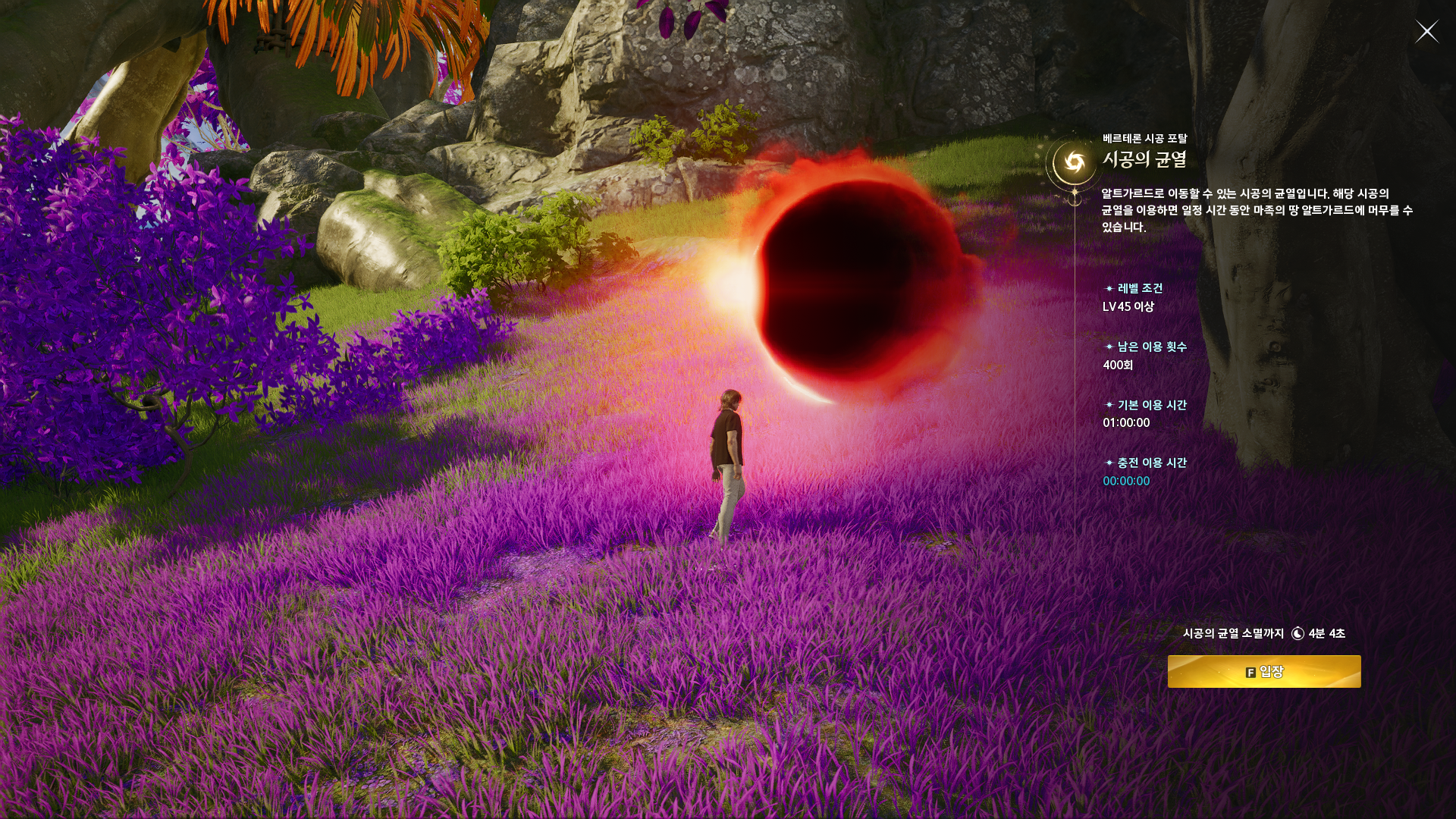
Source: AION 2 Taiwan guide · © NC Corporation ↗
Entry windows and event duration
An entry portal's availability and the time spent inside an activity are different things. An activity may continue after its entrance stops accepting players. A countdown to an activity's end should therefore never be read as permission to enter until that moment.
Use this page to plan a scheduled opening, then check the portal window in game. Taiwan's official guide, updated September 17, 2026, describes a fifteen-minute ordinary portal window. Some community trackers report shorter windows; this tool does not display a closing countdown or apply Taiwan's duration to another service. Check the game's current instructions before relying on an entrance remaining open.
Spacetime Rift travel and similarly named competitive events can also have different schedules and requirements. Make sure the event name matches what you intend to join. Do not apply a domination battle's preparation period or entry conditions to an ordinary travel portal.
Concept diagram only. Relative bar lengths do not represent a verified game duration.
Server time and your local timezone
Server time anchors the schedule; display time makes it easier to plan your day. Changing the display timezone does not move the event. It changes how the same scheduled moment is written on your screen.
Browser timezone detection is a useful starting point, but verify it if you travel, use a remote computer, or recently changed your operating system settings. A timezone and a fixed UTC offset are not always interchangeable. Some locations change offset during daylight saving time, while others keep the same offset throughout the year.
When your group compares times, share the service name, date, and timezone together. “The next rift is at eight” is ambiguous. A fully labelled opening lets everyone compare the same moment, even if their screens use different clock formats.
Optional reminders and sound
Reminders can help when you are preparing equipment or waiting with a group. Choose an available lead time, test the sound, and adjust the volume before depending on an alert. Sounds begin only after you enable them; opening this page should not unexpectedly interrupt your session.
Browser notifications depend on your permission and your device's behavior. A browser may pause background tabs, a phone may suspend a page, and a sleeping computer cannot reliably run an ordinary webpage timer. Closing the page stops page-based reminders. Keep those limits in mind when planning something important.
If permission is blocked, you can still use the countdown and time table. Check your browser's site settings if you want to change the notification choice later. Muting sound does not change the schedule or the opening time shown in the tool.
If the countdown looks wrong
First, check the selected service. A familiar-looking schedule can still belong to a different server clock. Next, compare the timezone label with your device settings and check that the computer's date and time are correct.
Then review the source notes. An older guide may describe a rule that changed in a patch. Community tools can disagree, especially when a service introduces a new schedule. The in-game announcement and the applicable official update take precedence over an unexplained number on any website.
If the page resumes after sleep, check the freshly calculated time rather than assuming the earlier display continued running. Report a mismatch with the service, event name, observed time, and relevant announcement. That information makes a correction more useful than a report that the timer is simply “off.”
Before your group leaves
Confirm the event and service together, then compare one labelled opening rather than separate countdown screenshots. Leave time to reach the appropriate area and check the current entry instructions. If a teammate sees a different time, resolve the timezone or source difference first. A shared plan is easier to follow when everyone understands both the opening and the limits of the estimate.
Before your next rift
When does the next Spacetime Rift open?
Choose your service and read the next scheduled opening above. The time table provides later opportunities if the next one does not fit your session. Check the source status before treating an estimated opening as confirmed.
Can I use this AION 2 rift timer for another region?
Taiwan and Korea schedules are available. Other services are listed as unavailable while their server-clock rules remain unresolved. A display timezone changes the clock presentation; it does not select a different game service. You can use any supported display timezone for a Taiwan or Korea opening.
Is the tool free?
The timer and schedule are available without a game login. Optional reminders depend on your browser's capabilities and permissions. The site does not need your game password or character access.
Does an open portal guarantee entry?
No. Capacity, eligibility, and the game's current rules still apply. Check the portal and your character's requirements in the game. This page helps you plan a time; it does not control admission.
Why check the sources?
Schedules can change. Source notes help you distinguish an official rule, a community observation, and an unresolved report. Review the region and source date when planning a run after an update.
Sources, corrections & artwork
Opening hours used here: 02:00, 05:00, 08:00, 11:00, 14:00, 17:00, 20:00, 23:00 in the selected Taiwan or Korea server clock. These are community-reported, not independently verified in game. Checked 5 October 2026. Global claims disagree, so no Global countdown is enabled.
AION2 Hub opening hours · Shugo schedule · Talentbuilds timer
Use the linked regional guide and update notes beside each schedule. This is an independent fan tool, not an official NCSOFT service. Game names belong to their respective owners. When game information conflicts with this page, follow the game. Send schedule corrections through the contact page with the service, event, date, and timezone observed in game.
The official Taiwan guide and community trackers currently disagree on portal duration. The latest applicable update and an in-game check are needed before enabling a definite closing timer.
Official Taiwan Spacetime Rift guide ↗Artwork and screenshots: official AION 2 sources. © NC Corporation. This is an independent fan tool.